
Goal Meter Widget
QUICK START GUIDE
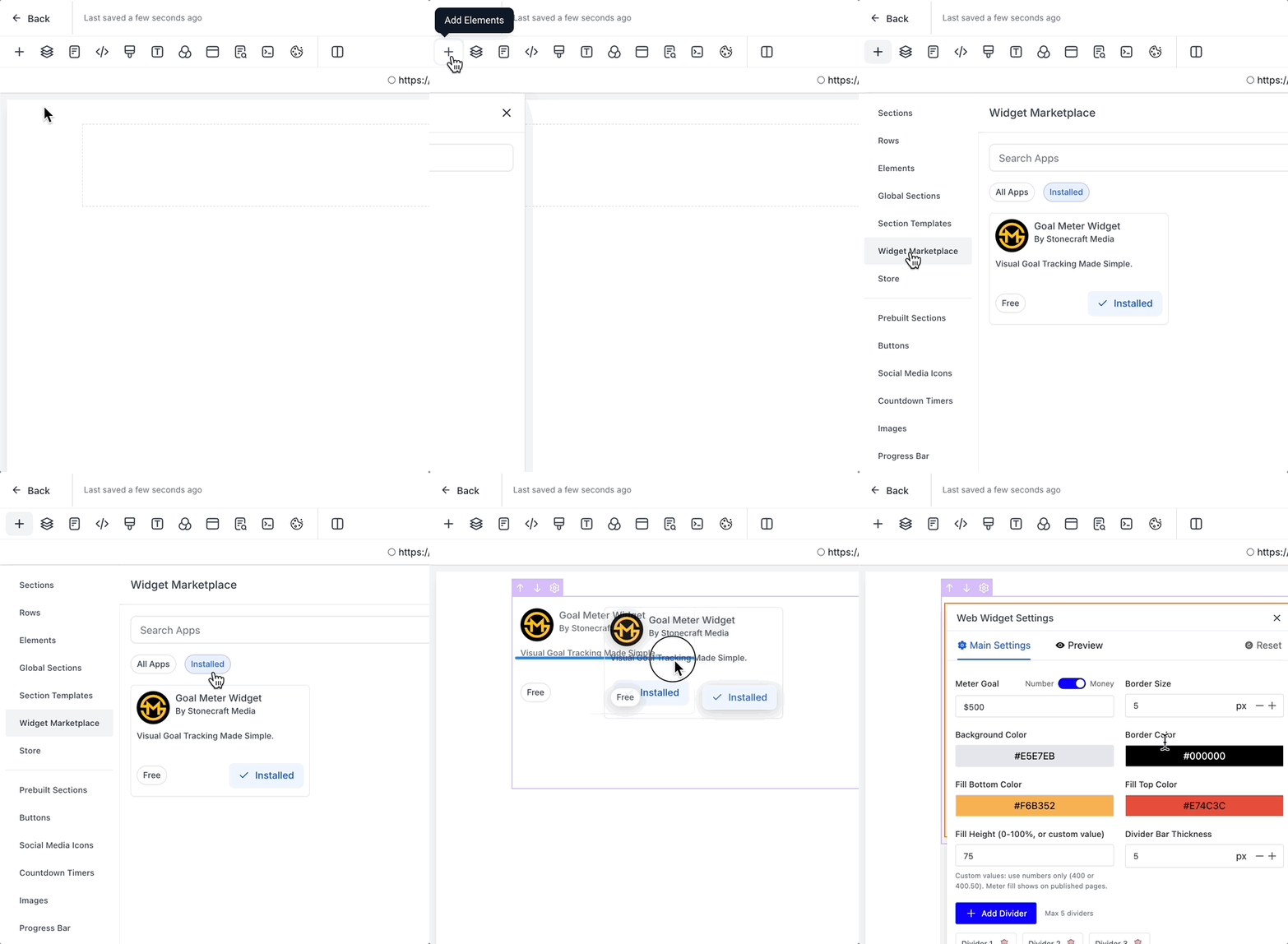
Add the Goal Meter Widget to any page from the Widget Marketplace and search for "Goal Meter Widget" under the "Installed" category.
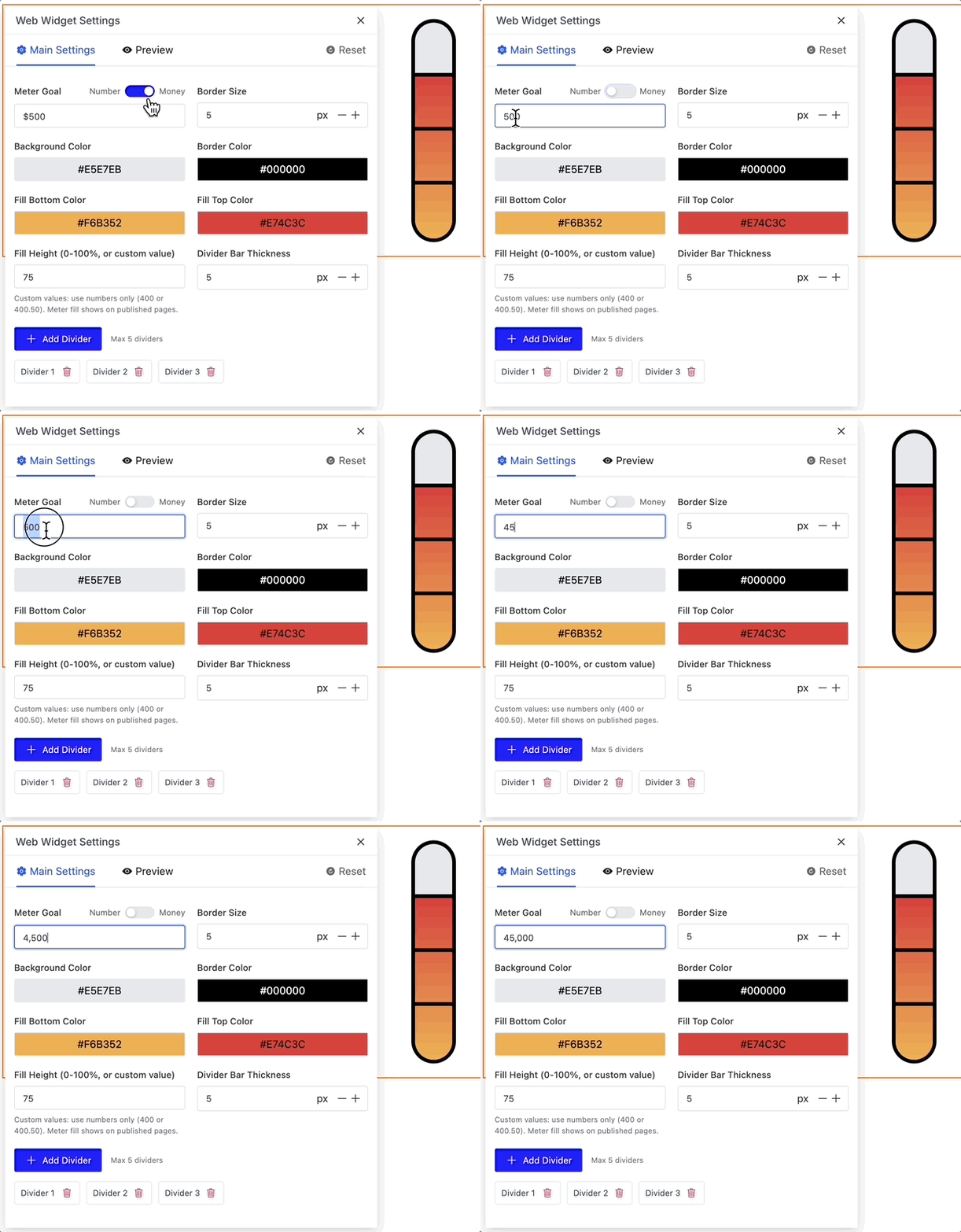
Set your goal amount in the Meter Settings.
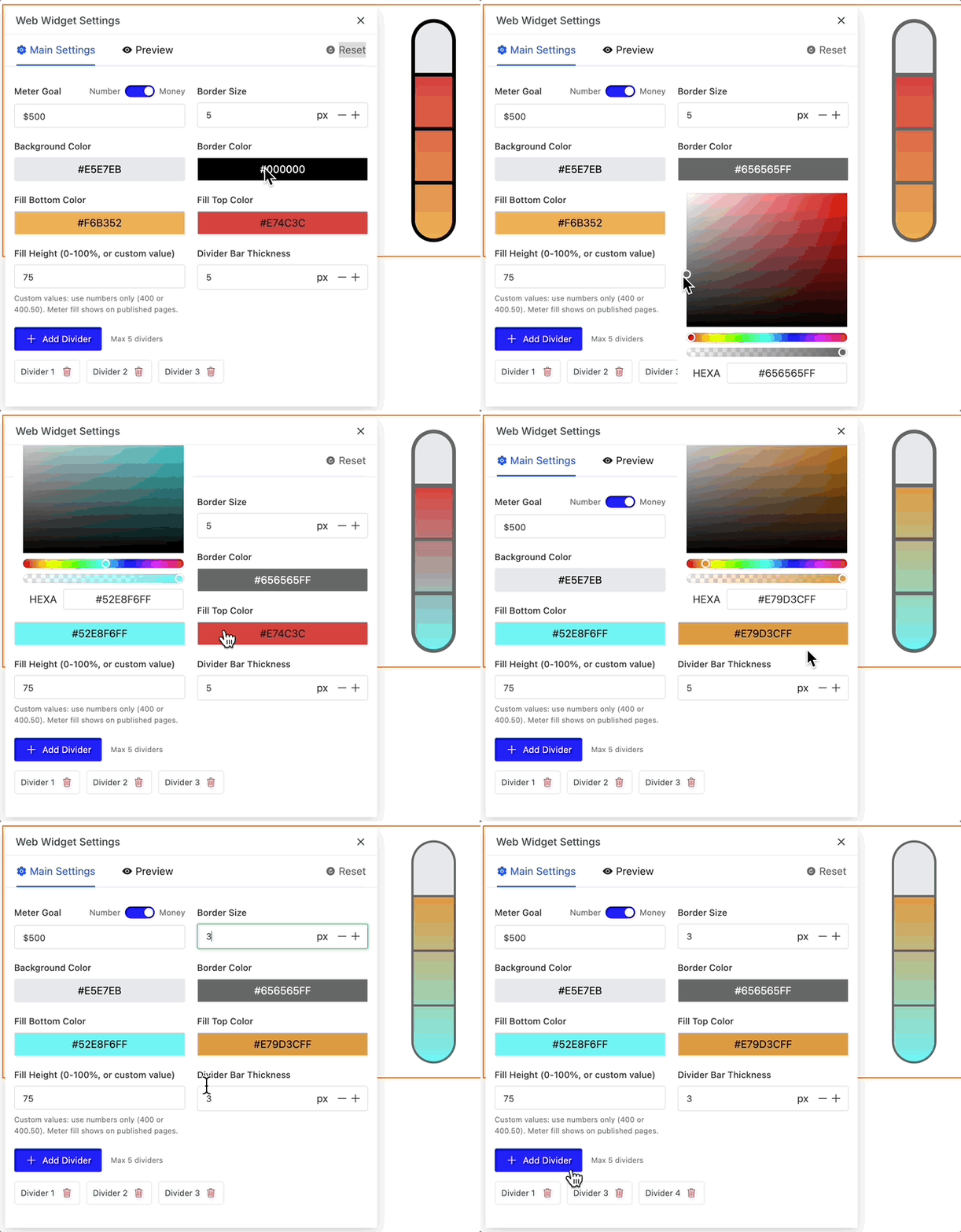
Customize colors & style to match your brand.
Preview and Publish your page.
Pro Tip:
Place your Goal Meter in a prominent location on your page to maximize visibility and motivation. You can position text elements above, below, or beside your Goal Meter Widget as well!